dnn_face_recognition
Recognize faces with YuNet and SFace (cv::FaceRecognizerSF).
Face recognition with YuNet (cv::FaceDetectorYN) and SFace (cv::FaceRecognizerSF), https://github.com/opencv/opencv_zoo/tree/main/models/face_recognition_sface The faces trained with the ~train service are saved to data_dir/<label>/<label>_<time>.png as the aligned face images of SFace, and loaded at the start.
opencv_apps |
3.0.0 and later |
|---|---|
ROS |
ROS One, jazzy, kilted, lyrical and later |
OpenCV |
OpenCV 4.5.4 or later |
Group |
Faces, the nodes of which publish |
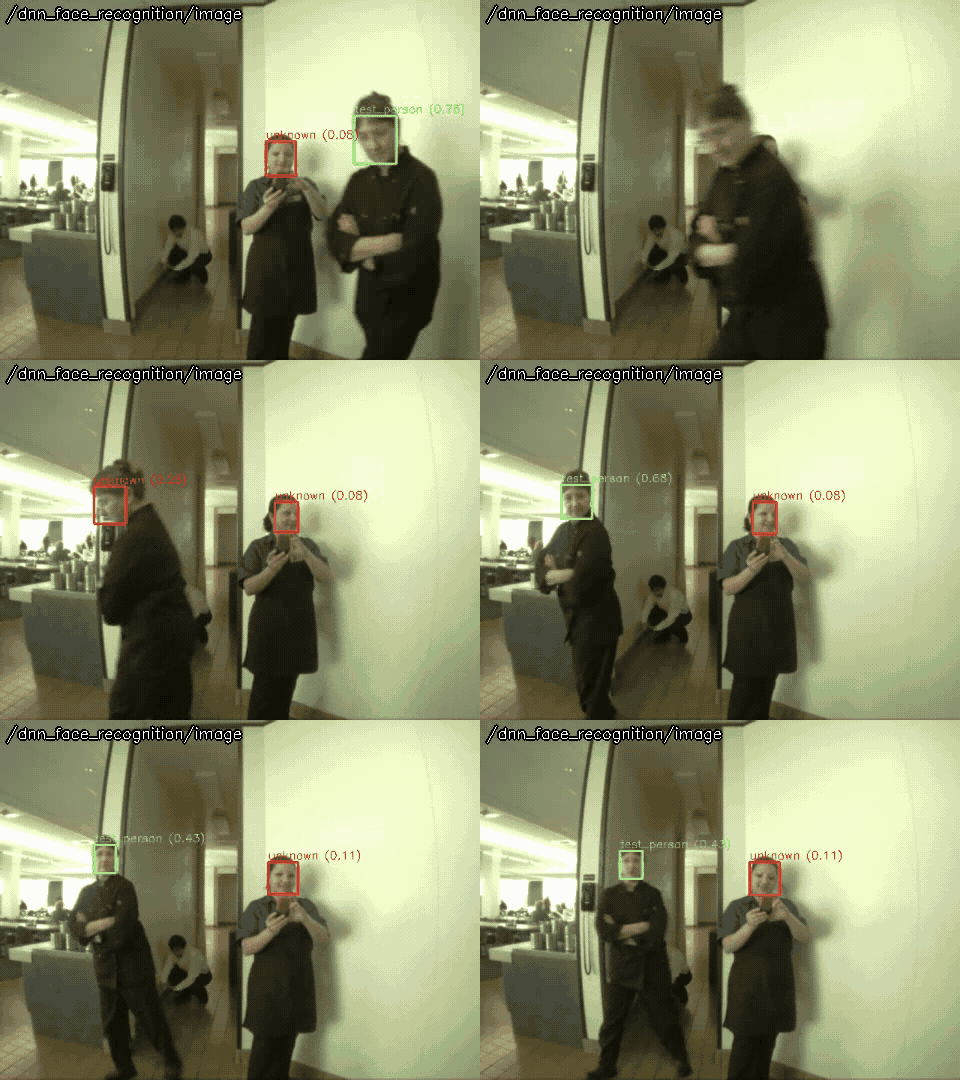
Usage
# ROS 2
ros2 launch opencv_apps dnn_face_recognition.launch.xml image:=/camera/image_raw debug_view:=false
# ROS 1
roslaunch opencv_apps dnn_face_recognition.launch image:=/camera/image_raw debug_view:=false
Try it with the demo video
Download the input video of the demo above, publish it as image with image_publisher, and run the node on it, in the terminals:
wget https://raw.githubusercontent.com/ros-perception/opencv_apps/indigo/test/face_detector_withface_test_diamondback.mp4
# terminal 1: publish the video as image in a loop
ros2 run image_publisher image_publisher_node face_detector_withface_test_diamondback.mp4 --ros-args -p publish_rate:=10.0 -r image_raw:=image
# terminal 2: run the node with the parameters of the demo
ros2 launch opencv_apps dnn_face_recognition.launch.xml image:=image data_dir:=/tmp/dnn_face_data
# terminal 3: then run once
ros2 run opencv_apps face_recognition_trainer.py --ros-args -r faces:=/dnn_face_recognition/output -r train:=/dnn_face_recognition/train
# terminal 4: view the result
ros2 run rqt_image_view rqt_image_view /dnn_face_recognition/image
Train a face with the trainer, which asks for the name, then the node recognizes it.
See Credits of the demo videos for the license of the video.
Subscribed topics
Topic |
Type |
|---|---|
|
|
Published topics
Topic |
Type |
Note |
|---|---|---|
|
Recommended, opencv_apps 3.0.1 and later. The same as |
|
|
|
|
|
Kept for compatibility, use |
Services
Service |
Type |
|---|---|
|
|
Parameters
See also the common parameters.
Name |
Type |
Default (range) |
Changed at run time |
Description |
|---|---|---|---|---|
|
string |
“auto” |
yes |
Backend of cv::dnn: auto, cpu, opencl, opencl_fp16, cuda or cuda_fp16. auto uses CUDA when OpenCV is built with CUDA and a CUDA device is found, and the CPU otherwise. |
|
string |
“~/.ros/opencv_apps/dnn_face_data” |
yes |
Directory to save and load the trained faces |
|
string |
“” |
yes |
Path or URL of the YuNet face detection model (onnx), empty for the default for this OpenCV version. The URL is downloaded to ~/.ros/opencv_apps/models/ at the first time |
|
double |
0.363 (-1 - 1) |
yes |
Threshold of the cosine similarity to recognize the face as the trained one, 0.363 is suggested by SFace |
|
int |
3 |
no, restart the node |
Specify queue_size of input image subscribers |
|
string |
“” |
yes |
Path or URL of the SFace face recognition model (onnx), empty for the default. The URL is downloaded to ~/.ros/opencv_apps/models/ at the first time |
|
double |
0.9 (0 - 1) |
yes |
Threshold of the score to detect the faces |
Source
src/nodelet/dnn_face_recognition_nodelet.cpp, launch/dnn_face_recognition.launch.xml