dnn_object_detection
Detect objects with a DNN model (cv::dnn::DetectionModel), e.g. YOLO.
Object detection with YOLOX (onnx), by default YOLOX-S trained on COCO of opencv_zoo, or with a model of cv::dnn::DetectionModel, e.g. YOLO (darknet), SSD (caffe, tensorflow), which OpenCV 5 cannot read except onnx.
opencv_apps |
3.0.0 and later |
|---|---|
ROS |
ROS One, jazzy, kilted, lyrical and later |
OpenCV |
OpenCV 4.5.4 or later |
Group |
Object detection, the nodes of which publish |
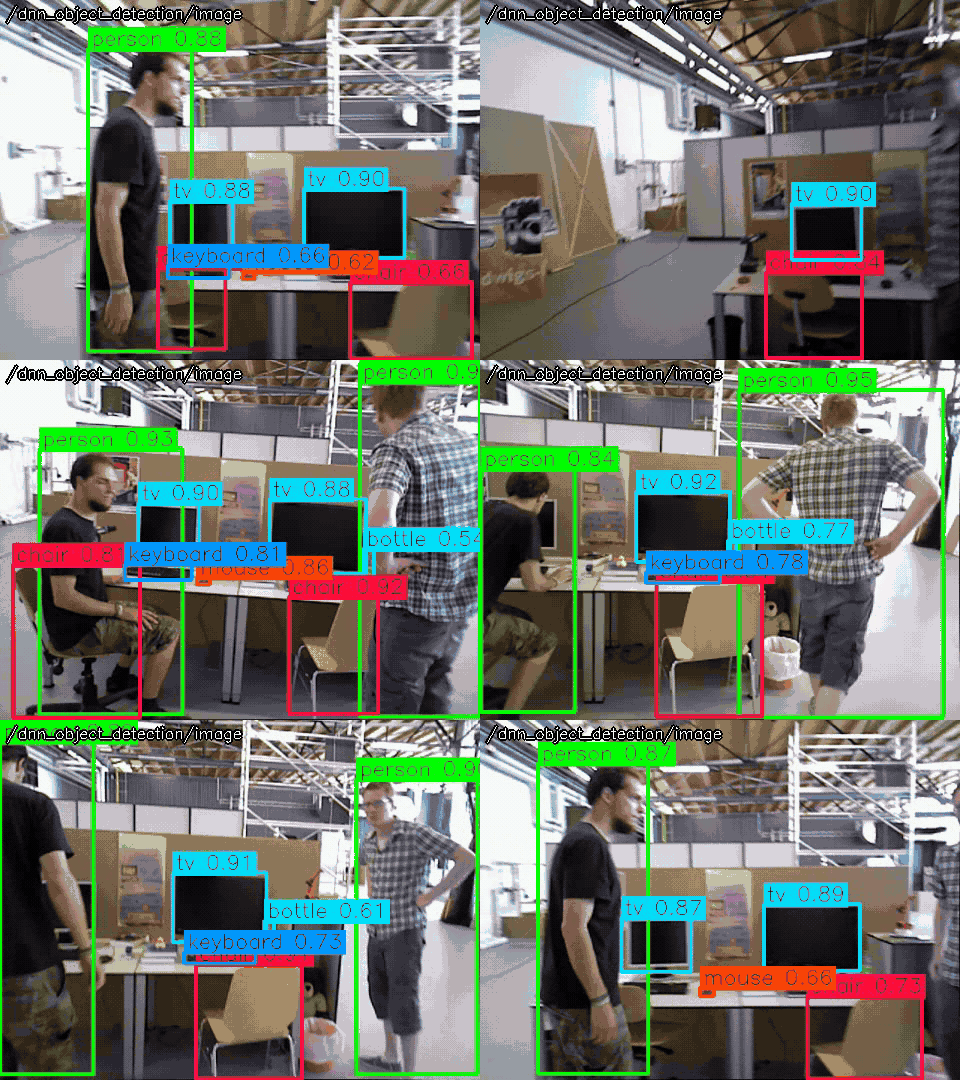
Usage
# ROS 2
ros2 launch opencv_apps dnn_object_detection.launch.xml image:=/camera/image_raw debug_view:=false
# ROS 1
roslaunch opencv_apps dnn_object_detection.launch image:=/camera/image_raw debug_view:=false
Try it with the demo video
Download the input video of the demo above, publish it as image with image_publisher, and run the node on it, in the terminals:
wget https://ros-perception.github.io/opencv_apps/media/clips/tum_walking.mp4
# terminal 1: publish the video as image in a loop
ros2 run image_publisher image_publisher_node tum_walking.mp4 --ros-args -p publish_rate:=10.0 -r image_raw:=image
# terminal 2: run the node
ros2 launch opencv_apps dnn_object_detection.launch.xml image:=image
# terminal 3: view the result
ros2 run rqt_image_view rqt_image_view /dnn_object_detection/image
In ROS 1:
# terminal 1
rosrun image_publisher image_publisher tum_walking.mp4 _publish_rate:=10 __name:=camera
# terminal 2
roslaunch opencv_apps dnn_object_detection.launch image:=camera/image_raw
See Credits of the demo videos for the license of the video.
Models
The node runs YOLOX (model_type:=yolox, onnx), by default YOLOX-S trained on COCO of opencv_zoo, or a model of cv::dnn::DetectionModel (model_type:=detection_model), e.g. YOLO of darknet and SSD, with config, classes, input_width, input_height, scale and swap_rb.
YOLOX-S (default)
ros2 launch opencv_apps dnn_object_detection.launch.xml image:=image
YOLOX-S of opencv_zoo (AP 40.5 on COCO, 36 MB, onnx): the first choice, accurate and fast enough on a GPU or a desktop CPU, and read by OpenCV 4 and 5.
YOLOX-S int8
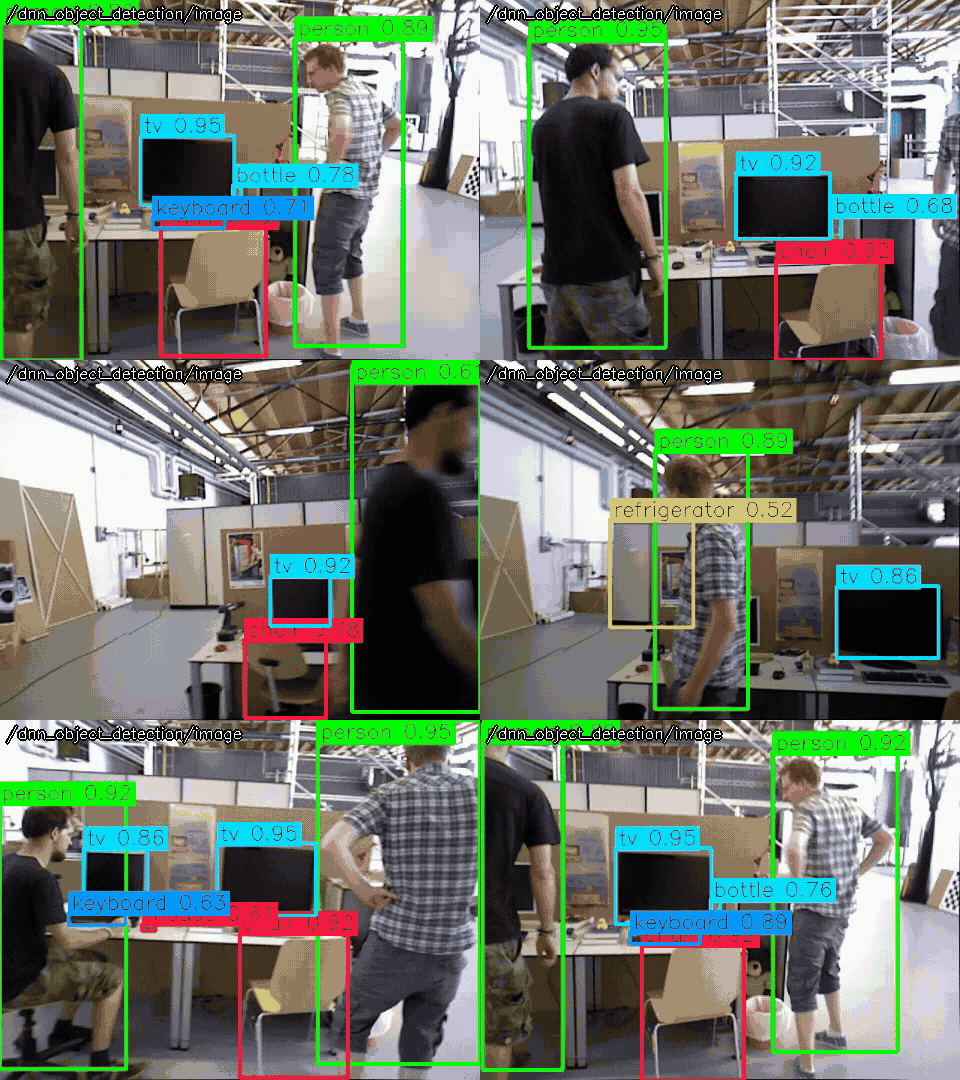
ros2 launch opencv_apps dnn_object_detection.launch.xml image:=image model:=https://github.com/opencv/opencv_zoo/raw/48b10fa505aeb51fbd127fc60a5c660040e823b7/models/object_detection_yolox/object_detection_yolox_2022nov_int8.onnx
YOLOX-S quantized to int8 of opencv_zoo (AP 32.6, 9 MB, onnx): a little less accurate, smaller and faster on a CPU without a GPU, e.g. a small computer of a robot; with CUDA, use YOLOX-S, as int8 runs on the CPU.
YOLOv4-tiny (darknet)
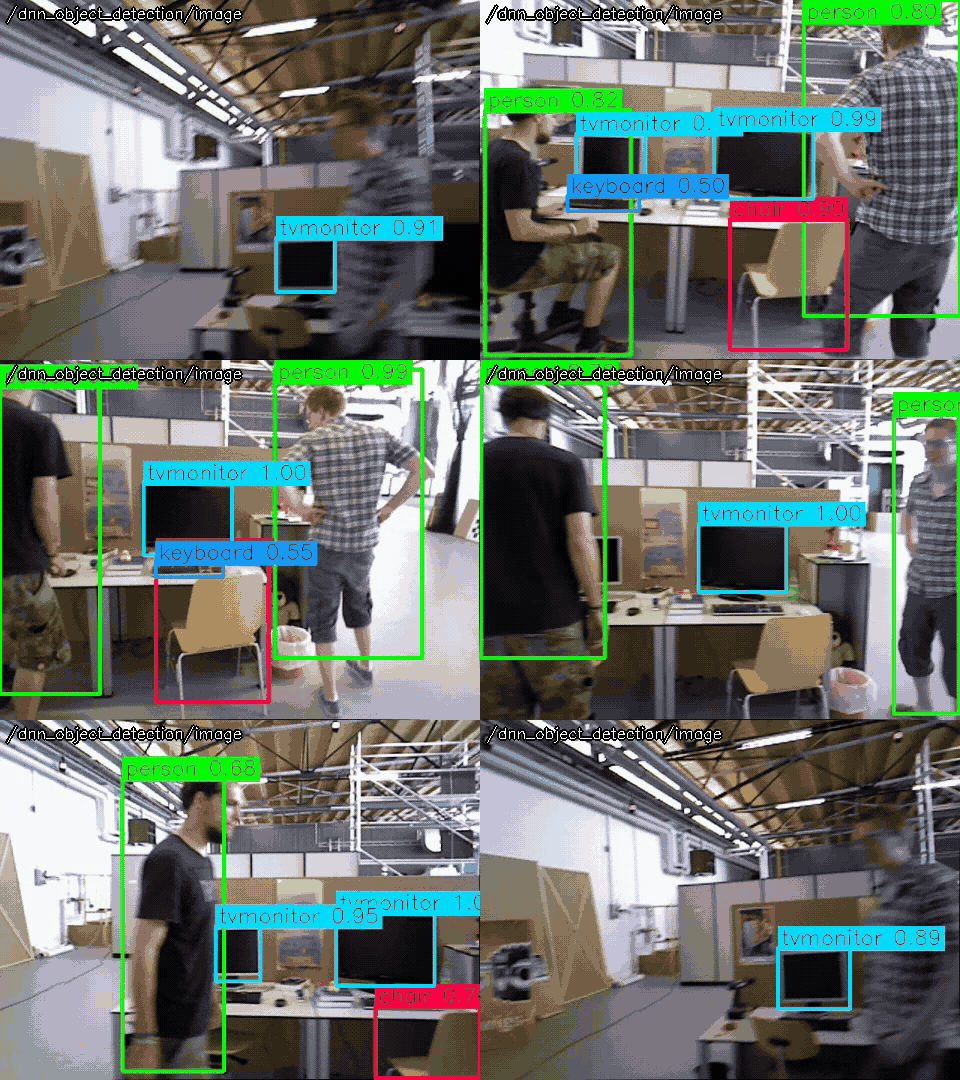
ros2 launch opencv_apps dnn_object_detection.launch.xml image:=image classes:=https://raw.githubusercontent.com/AlexeyAB/darknet/59596d7880f6504768df41d6daa586f5cb2b932f/data/coco.names config:=https://raw.githubusercontent.com/AlexeyAB/darknet/59596d7880f6504768df41d6daa586f5cb2b932f/cfg/yolov4-tiny.cfg input_height:=416 input_width:=416 model:=https://github.com/AlexeyAB/darknet/releases/download/darknet_yolo_v4_pre/yolov4-tiny.weights model_type:=detection_model
YOLOv4-tiny of darknet (AP 21.7 on COCO, 23 MB): the fastest and least accurate, and an example of darknet models, e.g. your own model trained with darknet; OpenCV 4 only, as OpenCV 5 reads only onnx.
Subscribed topics
Topic |
Type |
|---|---|
|
|
Published topics
Topic |
Type |
|---|---|
|
|
|
|
Parameters
See also the common parameters.
Name |
Type |
Default (range) |
Changed at run time |
Description |
|---|---|---|---|---|
|
string |
“auto” |
yes |
Backend of cv::dnn: auto, cpu, opencl, opencl_fp16, cuda or cuda_fp16. auto uses CUDA when OpenCV is built with CUDA and a CUDA device is found, and the CPU otherwise. |
|
string |
“” |
yes |
Path or URL of the class names of the model, one name per line, or empty for the classes of COCO for yolox |
|
double |
0.5 (0 - 1) |
yes |
Threshold of the confidence to detect the objects |
|
string |
“” |
yes |
Path or URL of the network configuration (e.g. .cfg, .prototxt, .pbtxt) of the model, or empty |
|
int |
640 (1 - 4096) |
yes |
Height of the network input, a multiple of 32 for yolox |
|
int |
640 (1 - 4096) |
yes |
Width of the network input, a multiple of 32 for yolox |
|
string |
“” |
yes |
Path or URL of the model (e.g. .onnx, .weights, .caffemodel, .pb), empty for YOLOX-S trained on COCO of opencv_zoo. The URL is downloaded to ~/.ros/opencv_apps/models/ at the first time |
|
string |
“yolox” |
yes |
yolox for the YOLOX models (onnx), or detection_model for the models of cv::dnn::DetectionModel, e.g. YOLO (darknet), SSD (caffe, tensorflow), with config, input_width, input_height, scale and swap_rb |
|
double |
0.4 (0 - 1) |
yes |
Threshold of the overlap of the objects to suppress, by non maximum suppression |
|
int |
3 |
no, restart the node |
Specify queue_size of input image subscribers |
|
double |
0.00392156862745098 (0 - 1) |
yes |
Multiplier of the pixel values for the network input, for detection_model |
|
bool |
true |
yes |
Swap the red and blue channels, true for the models trained in RGB, for detection_model |
Source
src/nodelet/dnn_object_detection_nodelet.cpp, launch/dnn_object_detection.launch.xml