adding_images
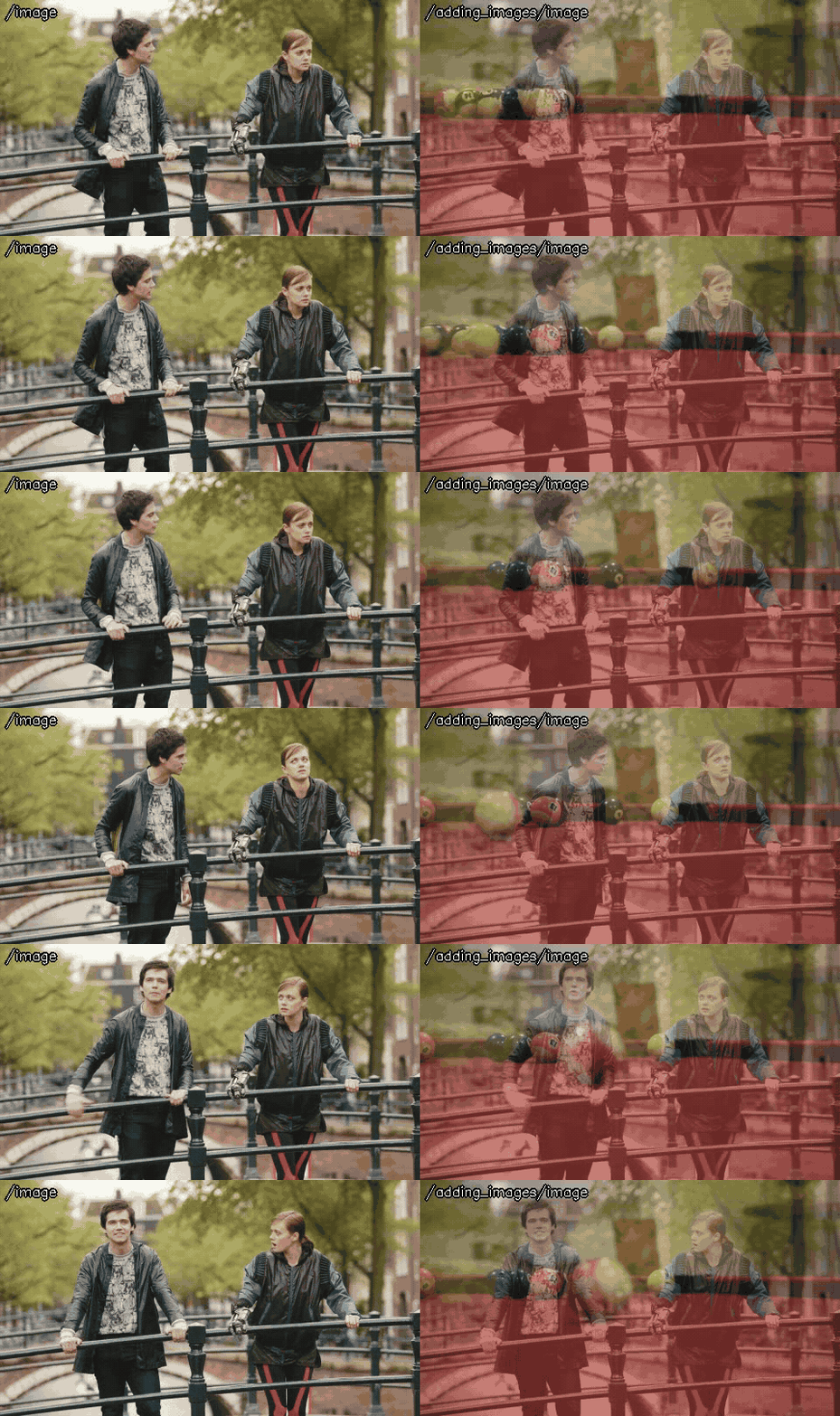
Blends two images, image1 and image2, with cv::addWeighted(): alpha * image1 + beta * image2 + gamma. The two images are synchronized by their time stamps.
opencv_apps |
1.11.14 and later (ROS 1), 3.0.0 and later (ROS 2) |
|---|---|
ROS |
noetic, ROS One, jazzy, kilted, lyrical and later |
OpenCV |
any version of the distributions |
Group |
Image filters, the nodes of which publish the processed image in |
Usage
# ROS 2
ros2 launch opencv_apps adding_images.launch.xml image1:=/camera/image_raw image2:=/camera2/image_raw approximate_sync:=true debug_view:=false
# ROS 1
roslaunch opencv_apps adding_images.launch image1:=/camera/image_raw image2:=/camera2/image_raw approximate_sync:=true debug_view:=false
Try it with the demo video
Download the input video of the demo above, publish it as image with image_publisher, and run the node on it, in the terminals:
wget https://ros-perception.github.io/opencv_apps/media/clips/tos_bridge.mp4
wget https://ros-perception.github.io/opencv_apps/media/clips/pool.mp4  # image2
# terminal 1: publish the video as image in a loop
ros2 run image_publisher image_publisher_node tos_bridge.mp4 --ros-args -p publish_rate:=10.0 -r image_raw:=image
# terminal 2: run the node with the parameters of the demo
ros2 launch opencv_apps adding_images.launch.xml image1:=image image2:=image2 alpha:=0.5 approximate_sync:=true gamma:=0.0
# terminal 3: run, keep it running
ros2 run image_publisher image_publisher_node pool.mp4 --ros-args -p publish_rate:=10.0 -r image_raw:=image2 -r camera_info:=camera_info2
# terminal 4: view the result
ros2 run rqt_image_view rqt_image_view /adding_images/image
image1 is tos_bridge.mp4 and image2 is pool.mp4, both 960x540.
See Credits of the demo videos for the license of the video.
Subscribed topics
Topic |
Type |
|---|---|
|
|
|
|
|
|
Published topics
Topic |
Type |
|---|---|
|
|
Parameters
See also the common parameters.
Name |
Type |
Default (range) |
Changed at run time |
Description |
|---|---|---|---|---|
|
double |
0.5 (0 - 1) |
yes |
weight of the first array elements. |
|
bool |
true |
no, restart the node |
Flag of approximate_sync. If this value is false, image1 and image2 synchronize exact time. |
|
bool |
true |
yes |
True: Automatically set beta weight as 1 - alpha, False: Use user defined beta weight |
|
double |
0.5 (0 - 1) |
yes |
weight of the second array elements. |
|
double |
0.0 (0 - 255) |
yes |
scalar added to each sum. |
|
int |
100 |
no, restart the node |
Specigy queue_size of input image subscribers |
Source
src/nodelet/adding_images_nodelet.cpp, launch/adding_images.launch.xml