dnn_interactive_segmentation
Segment the object given by a box or points with EfficientSAM.
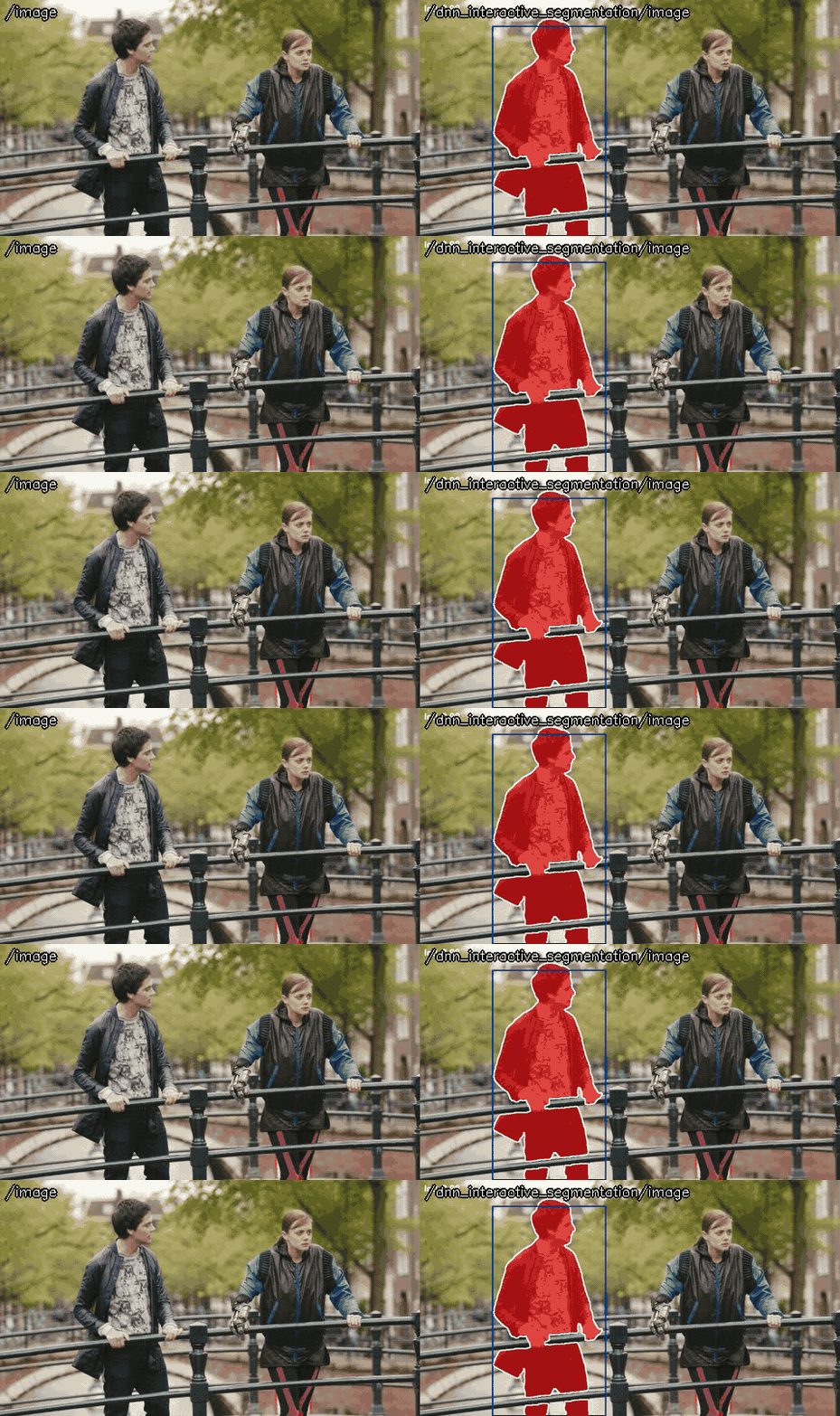
Interactive segmentation of the object given by a box and/or points with EfficientSAM-Ti of opencv_zoo (Apache 2.0), as the Segment Anything Model (SAM). The box is given with the mouse or the ~set_roi service as the tracking nodes, and the points by clicking or the ~add_points topic. The prompt is kept until it is changed, and every input image is segmented with it. ~mask is the mask of the object, ~contours its contours and ~output its bounding box.
opencv_apps |
3.1.0 and later |
|---|---|
ROS |
lyrical and later; not ROS One (OpenCV 4.6), jazzy (OpenCV 4.6), kilted (OpenCV 4.6) |
OpenCV |
OpenCV 4.10 or later, which reads EfficientSAM |
Group |
Segmentation, the nodes of which publish the mask or label image, |
Usage
# ROS 2
ros2 launch opencv_apps dnn_interactive_segmentation.launch.xml image:=/camera/image_raw debug_view:=false
# ROS 1
roslaunch opencv_apps dnn_interactive_segmentation.launch image:=/camera/image_raw debug_view:=false
Try it with the demo video
Download the input video of the demo above, publish it as image with image_publisher, and run the node on it, in the terminals:
wget https://raw.githubusercontent.com/ros-perception/opencv_apps/indigo/test/face_detector_withface_test_diamondback.mp4
# terminal 1: publish the video as image in a loop
ros2 run image_publisher image_publisher_node face_detector_withface_test_diamondback.mp4 --ros-args -p publish_rate:=10.0 -r image_raw:=image
# terminal 2: run the node
ros2 launch opencv_apps dnn_interactive_segmentation.launch.xml image:=image
# terminal 3: then run once
ros2 run opencv_apps set_image.py 375 325 150 310 --ros-args -r set_roi:=/dnn_interactive_segmentation/set_roi
# terminal 4: view the result
ros2 run rqt_image_view rqt_image_view /dnn_interactive_segmentation/image
The box around the woman at the center is given with set_image.py, as the tracking nodes, and kept for the next images. EfficientSAM-Ti of opencv_zoo (Apache 2.0) needs OpenCV 4.12 or later.
See Credits of the demo videos for the license of the video.
Subscribed topics
Topic |
Type |
|---|---|
|
|
|
|
Published topics
Topic |
Type |
|---|---|
|
|
|
|
|
|
|
|
|
|
|
Services
Service |
Type |
|---|---|
|
|
Parameters
See also the common parameters.
Name |
Type |
Default (range) |
Changed at run time |
Description |
|---|---|---|---|---|
|
string |
“auto” |
yes |
Backend of cv::dnn: auto, cpu, opencl, opencl_fp16, cuda or cuda_fp16. auto uses CUDA when OpenCV is built with CUDA and a CUDA device is found, and the CPU otherwise. |
|
string |
“” |
yes |
Path or URL of the EfficientSAM model (onnx), empty for EfficientSAM-Ti of opencv_zoo. The URL is downloaded to ~/.ros/opencv_apps/models/ at the first time |
|
int |
3 |
no, restart the node |
Specify queue_size of input image subscribers |
Source
src/nodelet/dnn_interactive_segmentation_nodelet.cpp, launch/dnn_interactive_segmentation.launch.xml