camshift
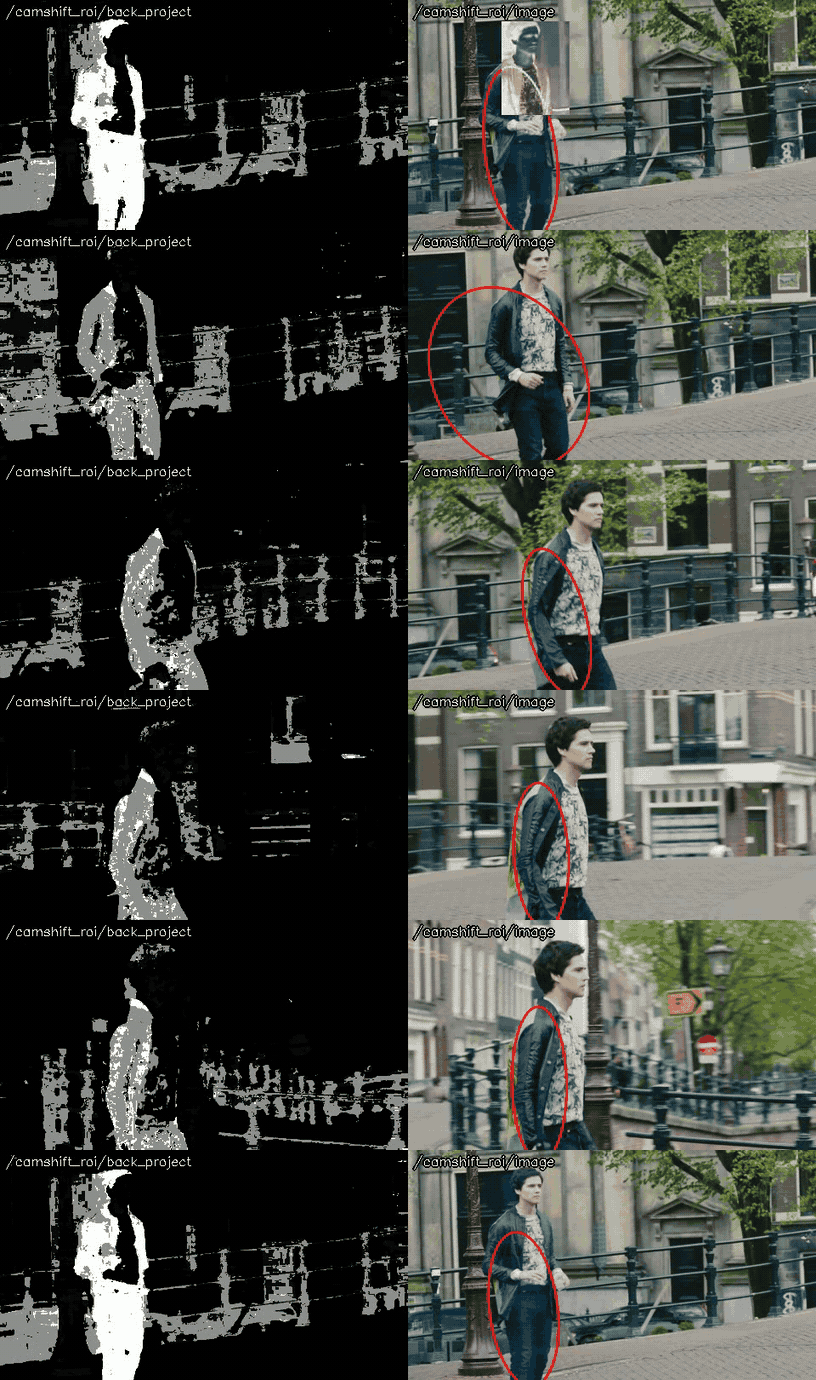
Tracks a colored object with the CamShift algorithm (cv::CamShift()), by the back projection of the hue histogram of the region given by the mouse or the x, y, width and height parameters.
opencv_apps |
1.11 and later (ROS 1), 3.0.0 and later (ROS 2) |
|---|---|
ROS |
noetic, ROS One, jazzy, kilted, lyrical and later |
OpenCV |
any version of the distributions |
Group |
Tracking, the nodes of which publish |
Usage
# ROS 2
ros2 launch opencv_apps camshift.launch.xml image:=/camera/image_raw debug_view:=false
# ROS 1
roslaunch opencv_apps camshift.launch image:=/camera/image_raw debug_view:=false
Try it with the demo video
Download the input video of the demo above, publish it as image with image_publisher, and run the node on it, in the terminals:
wget https://ros-perception.github.io/opencv_apps/media/clips/tos_canal.mp4
# terminal 1: publish the video as image in a loop
ros2 run image_publisher image_publisher_node tos_canal.mp4 --ros-args -p publish_rate:=10.0 -r image_raw:=image
# terminal 2: run the node with the parameters of the demo
ros2 launch opencv_apps camshift.launch.xml image:=image height:=220 node_name:=camshift_roi width:=160 x:=300 y:=160
# terminal 3: view the result
ros2 run rqt_image_view rqt_image_view /camshift_roi/image
The ROI is the man, as the other tracking nodes; camshift tracks the hue histogram of the ROI, and the ellipse also takes the areas of the same hue; back_project and image are shown.
In ROS 1:
# terminal 1
rosrun image_publisher image_publisher tos_canal.mp4 _publish_rate:=10 __name:=camera
# terminal 2
roslaunch opencv_apps camshift.launch image:=camera/image_raw height:=220 node_name:=camshift_roi width:=160 x:=300 y:=160
See Credits of the demo videos for the license of the video.
Subscribed topics
Topic |
Type |
|---|---|
|
|
Published topics
Topic |
Type |
|---|---|
|
|
|
|
|
|
|
Parameters
See also the common parameters.
Name |
Type |
Default (range) |
Changed at run time |
Description |
|---|---|---|---|---|
|
int |
0 (0 - 4096) |
yes |
Height of the rectangle to track, 0 for none (setting it to 0 stops tracking) |
|
double[] |
[] |
no, restart the node |
Histogram of tracked color object |
|
int |
3 |
no, restart the node |
Specigy queue_size of input image subscribers |
|
int |
30 (1 - 256) |
yes |
Smin |
|
int |
256 (1 - 256) |
yes |
Vmax |
|
int |
10 (1 - 256) |
yes |
Vmin |
|
int |
0 (0 - 4096) |
yes |
Width of the rectangle to track, 0 for none (setting it to 0 stops tracking) |
|
int |
0 (0 - 4096) |
yes |
Center x of the rectangle to track |
|
int |
0 (0 - 4096) |
yes |
Center y of the rectangle to track |
Source
src/nodelet/camshift_nodelet.cpp, launch/camshift.launch.xml