tracking
Tracks the target with the trackers of OpenCV: MIL, BOOSTING, MEDIANFLOW, TLD, KCF, MOSSE and CSRT. The target is given by the mouse or the ~/set_roi service, with the same interface as dnn_tracking and match_template.
opencv_apps |
3.0.0 and later |
|---|---|
ROS |
ROS One, jazzy, kilted, lyrical and later; the trackers other than MIL need libopencv-contrib |
OpenCV |
OpenCV 4.5.1 or later, and the tracking module of opencv_contrib for the trackers other than MIL |
Group |
Tracking, the nodes of which publish |
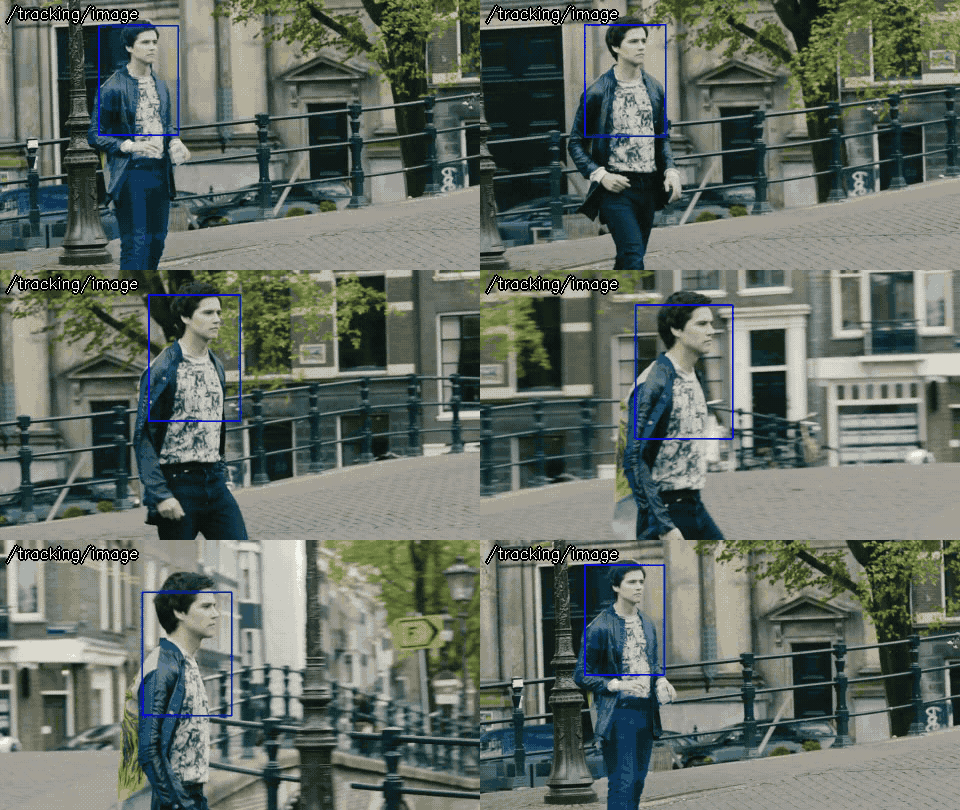
Usage
# ROS 2
ros2 launch opencv_apps tracking.launch.xml image:=/camera/image_raw debug_view:=false
# ROS 1
roslaunch opencv_apps tracking.launch image:=/camera/image_raw debug_view:=false
Try it with the demo video
Download the input video of the demo above, publish it as image with image_publisher, and run the node on it, in the terminals:
wget https://ros-perception.github.io/opencv_apps/media/clips/tos_canal.mp4
ffmpeg -i tos_canal.mp4 -frames:v 1 frame0.png  # the first frame
# terminal 1: publish the video as image in a loop
ros2 run image_publisher image_publisher_node tos_canal.mp4 --ros-args -p publish_rate:=10.0 -r image_raw:=image
# terminal 2: run the node with the parameters of the demo
ros2 launch opencv_apps tracking.launch.xml image:=image tracking_algorithm:=7
# terminal 3: then run once
ros2 run opencv_apps set_image.py 300 160 160 220 frame0.png --ros-args -r set_roi:=/tracking/set_roi
# terminal 4: view the result
ros2 run rqt_image_view rqt_image_view /tracking/image
Set the man on the first frame with set_image.py just after the video starts (the demo publishes the frames one by one and sets it at the start of each loop).
See Credits of the demo videos for the license of the video.
Subscribed topics
Topic |
Type |
|---|---|
|
|
Published topics
Topic |
Type |
|---|---|
|
|
|
Services
Service |
Type |
|---|---|
|
|
Parameters
See also the common parameters.
Name |
Type |
Default (range) |
Changed at run time |
Description |
|---|---|---|---|---|
|
int |
3 |
no, restart the node |
Specify queue_size of input image subscribers |
|
int |
4 (0 - 7) |
yes |
Tracking Algorithm, 0: MIL, 1: BOOSTING, 2: MEDIANFLOW, 3: TLD, 4: KCF, 6: MOSSE, 7: CSRT |
Source
src/nodelet/tracking_nodelet.cpp, launch/tracking.launch.xml